



You can analyze your Instagram personality by combining a review of your profile with DolphinRadar AI Insights and Instagram’s own Insights. DolphinRadar interprets supported public-account activity to explore persona and interests, while Instagram Insights shows content performance for an eligible professional account you manage. Compare the results with your profile’s themes, visual style, and caption voice.
DolphinRadar is a useful option when you want to explore how your public Instagram activity reflects your interests over time. Its AI Insights include Persona Snapshot and potential MBTI-type interpretations on eligible subscriptions. Start by deciding whether you want to understand your public image, improve your content, or reflect on recurring interests.
What Does “Instagram Personality” Mean?
Your Instagram personality is the impression created by your online presence: what you share, how you express yourself, and which themes recur. It is an online persona, shaped by selected content and the context available to whoever reviews it.
Three questions often get grouped under the same label:
- Presentation: What do my bio, visuals, and captions communicate?
- Performance: Which content reaches or engages my audience?
- Activity and interests: What patterns appear in the public activity available for analysis?
These questions need different evidence. A polished feed does not establish a personality type, and strong engagement does not measure confidence, authenticity, or wellbeing. Treat an AI personality label as a reflection prompt rather than a psychological assessment.
How Do DolphinRadar and Instagram Insights Work Together?
Use DolphinRadar AI Insights to explore interpretations of your public activity and Instagram Insights to understand how your published content performs. Together with a review of your profile, they help you consider what you communicate, which interests recur, and how your audience responds.
| Tool | Useful for | How to read the result |
|---|---|---|
| DolphinRadar AI Insights | Exploring supported public-account activity, interests, and persona interpretations over time | Review the available reporting context. AI interpretations are separate from observed activity. |
| Instagram Insights | Understanding the performance of an eligible professional account you manage | Use the metrics available in your account. Performance data does not establish a personality type. |
Start with DolphinRadar when your question is “What interests and patterns appear in my available public activity over time?” Use Instagram Insights for “Which of my posts earned saves or reached new people?” The two perspectives answer different parts of a self-review: an AI interpretation of available activity and the performance metrics available to the account owner.
Instagram Insights is an official analytics feature, not a personality assessment. DolphinRadar is a separate service with its own account and subscription requirements; you do not need to connect your Instagram account to use its supported public-account workflow.
Start With a Profile Review You Can Check Yourself
Before generating a personality report, write down what you want your profile to communicate. Then choose a consistent review window, such as your latest 20 posts, and record its dates. That is a practical sample for your review, not a validated minimum for personality assessment.
Check five visible areas:
- Bio and profile promise. What would a new visitor expect you to share? Compare that promise with the content you actually publish.
- Recurring subjects. Group posts into themes such as tutorials, personal updates, travel, or work. Count the posts supporting each theme.
- Visual choices. Note recurring formats, settings, colors, and editing choices. Describe what is visible without assigning a hidden motive.
- Caption voice. Identify examples of humor, instruction, storytelling, questions, or short updates. A voice can vary by topic and audience.
- Conversation style. Review visible questions, replies, and discussion prompts. Distinguish what you post from how other people respond.
This gives you a reference against which to compare an automated report. If a tool calls your profile “educational,” you should be able to identify the posts or captions that support that interpretation.
How to Use DolphinRadar to Explore Your Instagram Persona
DolphinRadar AI Insights is a subscription feature for supported public Instagram accounts. It can add activity-based context to your self-review without connecting your Instagram account. You still need a DolphinRadar account and an eligible plan.
1. Confirm That Your Account Fits the Workflow
Use your own current public Instagram username. A public-data tool does not gain access to private posts simply because you own the account. If your account is private, review content you can access yourself or use authorized account analytics where available; you do not need to make it public just to complete this exercise.
2. Select a Plan With AI Insights
The current DolphinRadar plan information lists AI Insights for quarterly and annual Social Insights subscriptions. Monthly access does not include this feature.
| Subscription | Published AI Insights access | Modules relevant to this review |
|---|---|---|
| Monthly | AI Insights not included | Do not select this plan expecting an AI persona report. |
| Quarterly | Four modules: MBTI, Persona Snapshot, Lifestyle Indicators, and Location | Begin with Persona Snapshot and the potential MBTI-type interpretation. |
| Annual | The four quarterly modules plus Interests, Notable Patterns, Engaged Accounts, Discussion Topics, and Public Locations Mentioned | Use the additional interest and topic sections to look for recurring themes. |
Choose according to the sections you need. A location-related label is not evidence of your live whereabouts, and additional modules do not turn an AI interpretation into a verified personal assessment.
3. Add Your Public Username and Allow Data Collection
Create or sign in to your DolphinRadar account and add the public username for analysis. The service does not require your Instagram credentials. Review the current account and reporting requirements before subscribing.
DolphinRadar describes approximately one week of initial collection for a newly added account’s first Activity Analytics report. That is the activity-report timetable, not a guarantee that every AI Insights section will be ready at exactly the same moment. Check the status shown for your account.
4. Open the Account Report and Select AI Insights
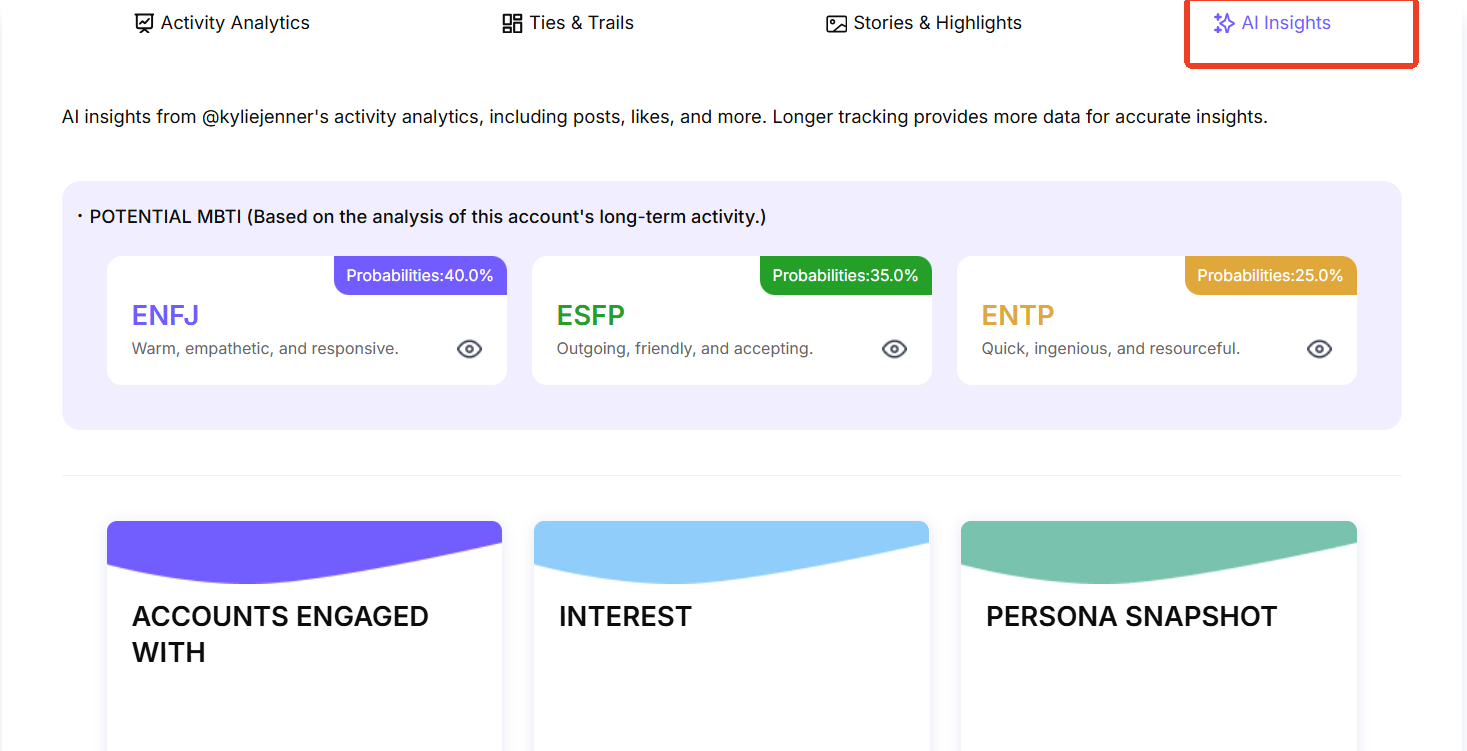
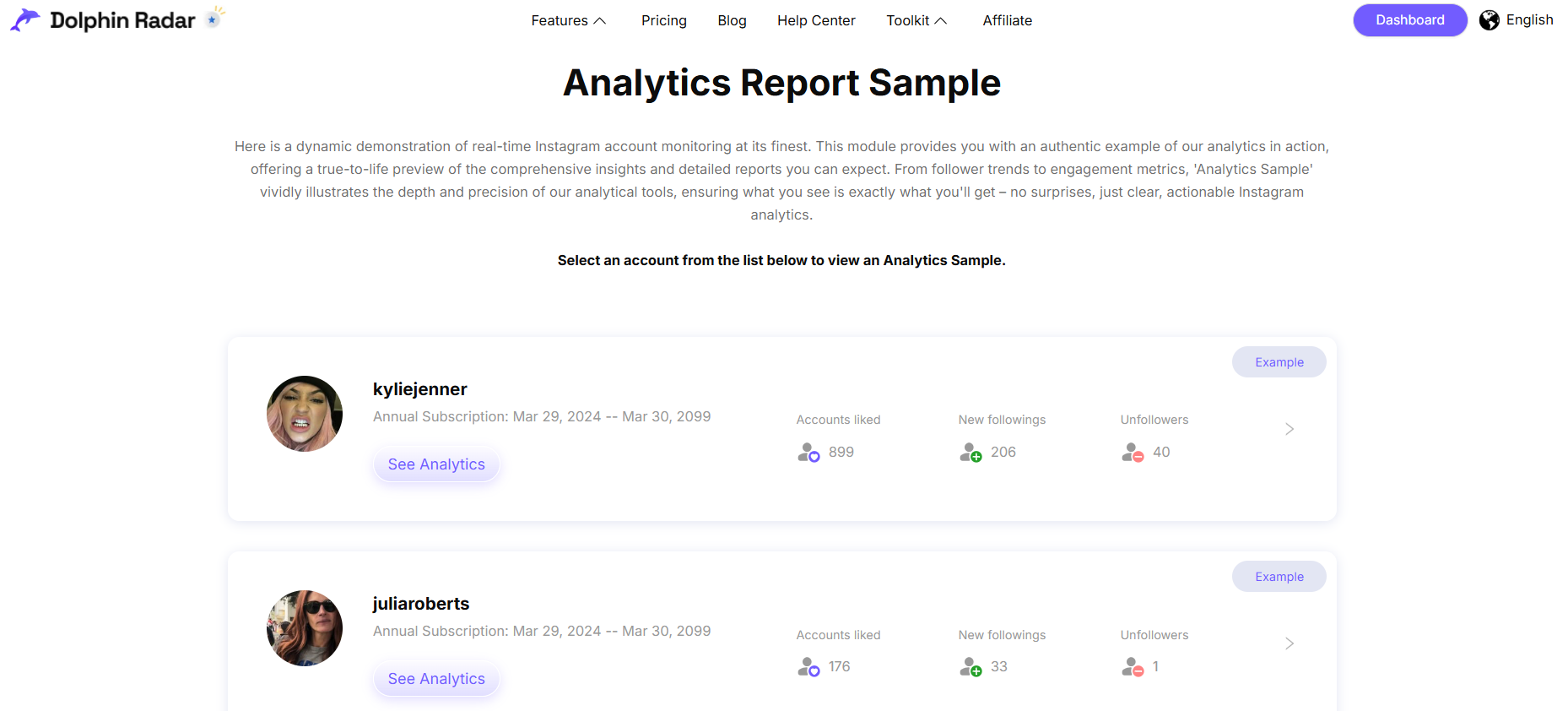
In the account’s report view, open AI Insights and review the sections included in your subscription. The public analytics report sample provides an example of the report interface; sample data is not a result for your account.
Start with Persona Snapshot, then read any available interest, topic, and pattern sections. Note when a section is pending or when the available reporting context is limited. Do not interpret an empty section as proof that you have no relevant interests.
5. Compare the Interpretation With Your Own Record
Read your published-content review alongside the report’s available activity context. Your feed shows what you choose to publish; activity-based analysis may reflect a different set of observable signals. A difference between them can be worth reflecting on without assuming that one reveals your “real” identity.
For each useful claim, ask what evidence supports it and whether the context is representative. Longer observation may supply more material to review, but it does not by itself establish psychological accuracy.
How Can You Tell Whether an AI Personality Result Is Useful?
A useful result connects a specific interpretation to information you can check. Keep three things separate: the observation, the interpretation, and the action you choose to take.
| What you can record | Possible interpretation | A practical next step |
|---|---|---|
| Your review contains several tutorial posts with explanatory captions | Your profile may communicate an educational style | Check whether your bio clearly names what you help people learn. |
| An available report repeatedly highlights one topic across its covered period | That topic may be a recurring interest within the available data | Compare it with your own goals before turning it into a content theme. |
| An AI report assigns an MBTI-style label | The model has interpreted limited signals through a personality framework | Treat it as a reflection prompt; do not present it as a confirmed type. |
These are illustrative interpretations, not measured results from a test account. Avoid accepting a report solely because its wording feels personal. Look for specific examples, dates, and coverage; mark claims you cannot verify as uncertain.
Keep audience response separate from persona interpretation. A post with strong reach or engagement can tell you something about that content’s performance, but it does not confirm an MBTI-style label or explain your underlying motivation.
Turn Your Review Into One Clear Improvement
Use the analysis to make a decision about your online presence rather than collecting labels.
- For a personal profile: decide whether your visible posts reflect the interests and boundaries you want to share.
- For a creator profile: align your bio, recurring subjects, and caption style with what you want your audience to recognize.
- For a professional profile: check whether the public examples of your work support the promise in your bio.
Change one element, save a dated note, and review it after you have published enough new material to compare. If you also evaluate performance, use the same observation window and available Instagram Insights metrics. Increased engagement is a performance result, not proof that an inferred personality label was correct.
Frequently Asked Questions
1.How Can I Analyze My Instagram Personality Using Online Tools?
Start by reviewing your profile’s themes, visuals, and captions. Use DolphinRadar AI Insights to explore supported public-activity interpretations and Instagram Insights to review your own eligible professional account’s content performance. Compare the output with specific examples from your account before choosing what to change.
2. Can I Analyze My Own Account With DolphinRadar?
You can use the public-account workflow with your own supported public username. AI Insights requires an eligible DolphinRadar subscription. Ownership does not give the tool access to private posts or owner-only Instagram metrics.
3. Is DolphinRadar AI Insights Free?
No. Current plan information includes AI Insights with quarterly and annual Social Insights subscriptions, not the monthly plan. Viewing the public report sample does not provide a personalized AI Insights report for your account.
4. Can an Instagram Personality Analyzer Tell Me My MBTI?
A tool may generate a potential MBTI-style interpretation, but that output does not establish a verified type. Instagram provides selected online signals, not a complete account of your behavior across situations.
5. Can I Analyze a Private Instagram Profile?
DolphinRadar’s public-data workflow does not unlock private content. For your own private profile, review material you can access yourself and use authorized analytics where available.
6. Can Instagram Insights Analyze My Personality?
Instagram Insights provides performance metrics for eligible professional accounts. It does not establish your personality type. Use it to understand audience response, then read DolphinRadar’s available persona and interest interpretations alongside your own observations.
Choose the Analysis That Matches Your Question
For your public image, begin with a profile review. For content results, use owner-authorized analytics. For recurring patterns in supported public activity, consider DolphinRadar AI Insights and read its interpretations alongside the available evidence. The most useful outcome is a clearer understanding of what your account communicates and one deliberate improvement you can make.