



DolphinRadar helps users view public Instagram data safely. You can view public Instagram Highlights anonymously without connecting an Instagram account, but private profiles, deleted Highlights, and restricted content remain unavailable. This guide explains how Highlights work, what a public viewer can access, and how to diagnose missing results.
Quick answer: A public Instagram Highlight can be viewed without an Instagram account when the profile and saved content are publicly available. A no-login viewer does not submit your Instagram username to the profile owner. It cannot unlock private profiles, Close Friends content, or deleted Highlights.
TL;DR: What You Can Expect
- Public Highlights can be viewed without an Instagram login.
- An anonymous Instagram Highlight viewer works only with publicly available content.
- Private profiles, Close Friends content, and deleted Highlights are not included.
- An incorrect username can make an available Highlight appear missing.
- DolphinRadar provides a browser-based public viewer without requiring account credentials.
What Are Instagram Highlights?
Instagram Highlights are collections of Stories that a profile owner saves on their profile. A normal Story is generally available for about 24 hours. A Highlight can remain visible after that period because the owner has chosen to preserve it.
This separates a current Story from an archived public Highlight. A Story viewer is useful for recent updates, while an Instagram Highlight viewer is useful for public content organized by topic, campaign, event, or period.
Highlights are not automatically public. Their visibility follows the profile’s audience settings. If the profile is private, an external public viewer cannot retrieve its Highlights. If the creator removes a Highlight, the old item is no longer publicly available even if a search result or saved link still exists.
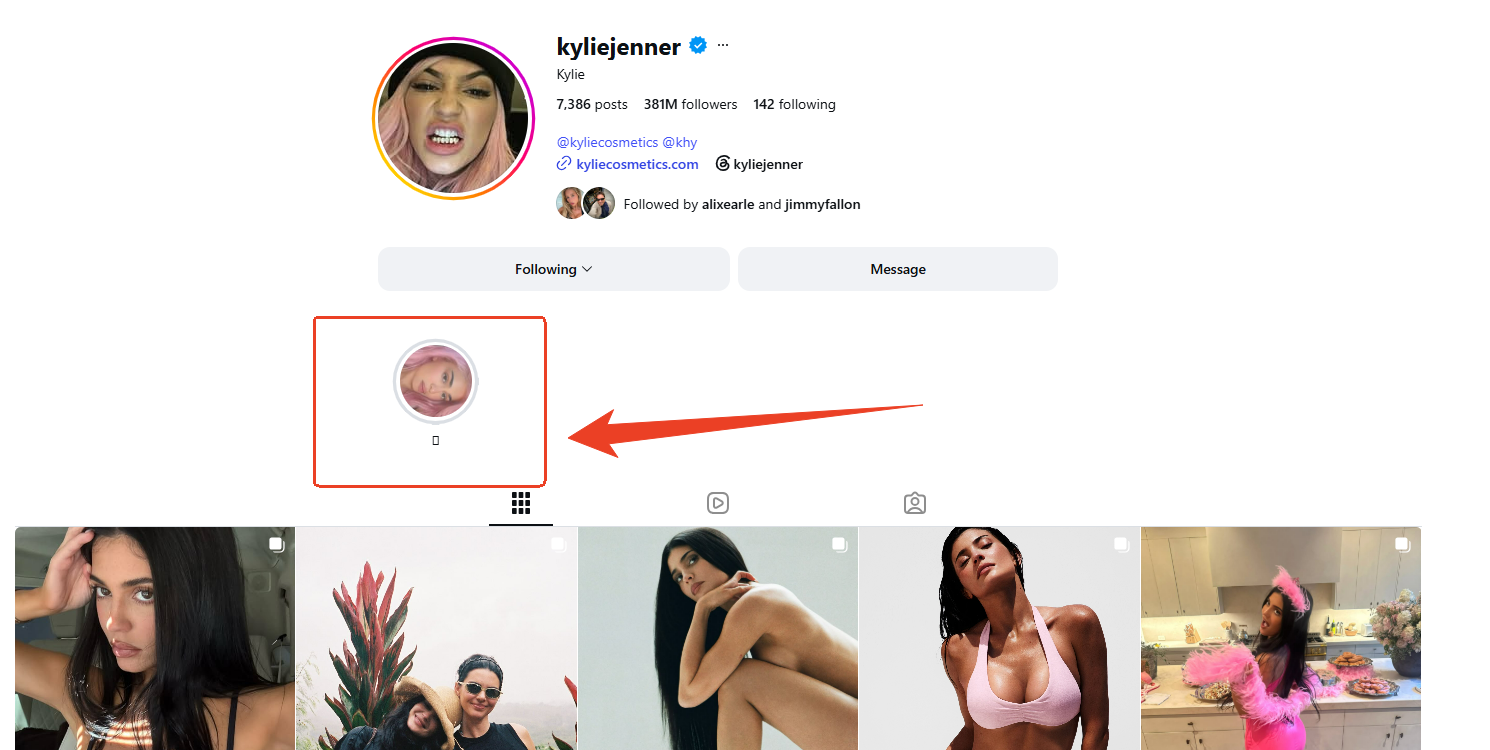
Can You View Instagram Highlights Anonymously?
Yes, but only when the profile and Highlight are public. A no-login viewer separates the viewing request from your personal Instagram identity. You provide a public username, and the viewer checks content that is already available through the public layer.
| Content type | Available without login | Why |
|---|---|---|
| Public Instagram Highlights | Yes | The creator has made the profile and saved content public |
| Public active Stories | Yes | The Story is still within its current availability window |
| Private-profile Highlights | No | Access requires approval from the profile owner |
| Close Friends content | No | It is limited to a selected audience |
| Deleted Highlights | No | The creator has removed the public item |
| Instagram viewer identity lists | Not included | Viewer identity data is not public |
Anonymous access protects account separation, not content ownership. Public visibility does not grant permission to copy, republish, or commercially reuse a creator’s media.
How Does an Anonymous Instagram Highlight Viewer Work?
An anonymous Instagram Highlight viewer follows a short public-data workflow:
- You enter the exact username of a public profile.
- The viewer checks the profile for currently available Stories and Highlights.
- You select an available Highlight and view it in your browser.
The process does not require an Instagram password, session cookie, app installation, or connected account. A legitimate viewer should state its boundaries clearly and never promise private-profile access, hidden viewer identities, or deleted media recovery.
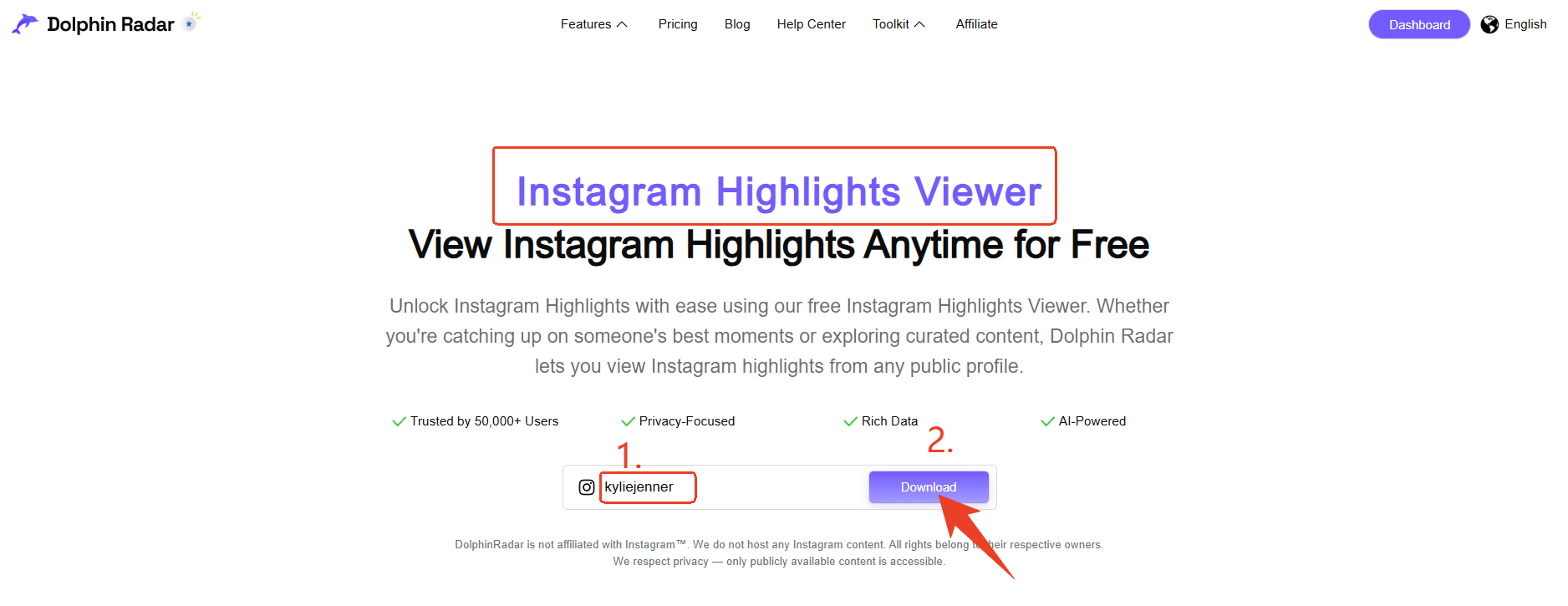
For the full Story workflow, link to the complete guide to viewing Instagram Stories anonymously. That page explains the general public Story process, availability limits, and standard troubleshooting sequence.
How to View Instagram Highlights Without an Account
The following steps are designed for a public profile and work in a modern mobile or desktop browser.
1. Copy the exact public username
Use the profile handle, not the display name. Remove the @ symbol, spaces, and any extra profile URL text. Check periods and underscores carefully because one missing character can lead to a different profile or an empty result.
2. Open the public Instagram viewer
Visit the DolphinRadar Instagram Story Viewer, enter the username, and select Search Now. No Instagram login or account connection is required.
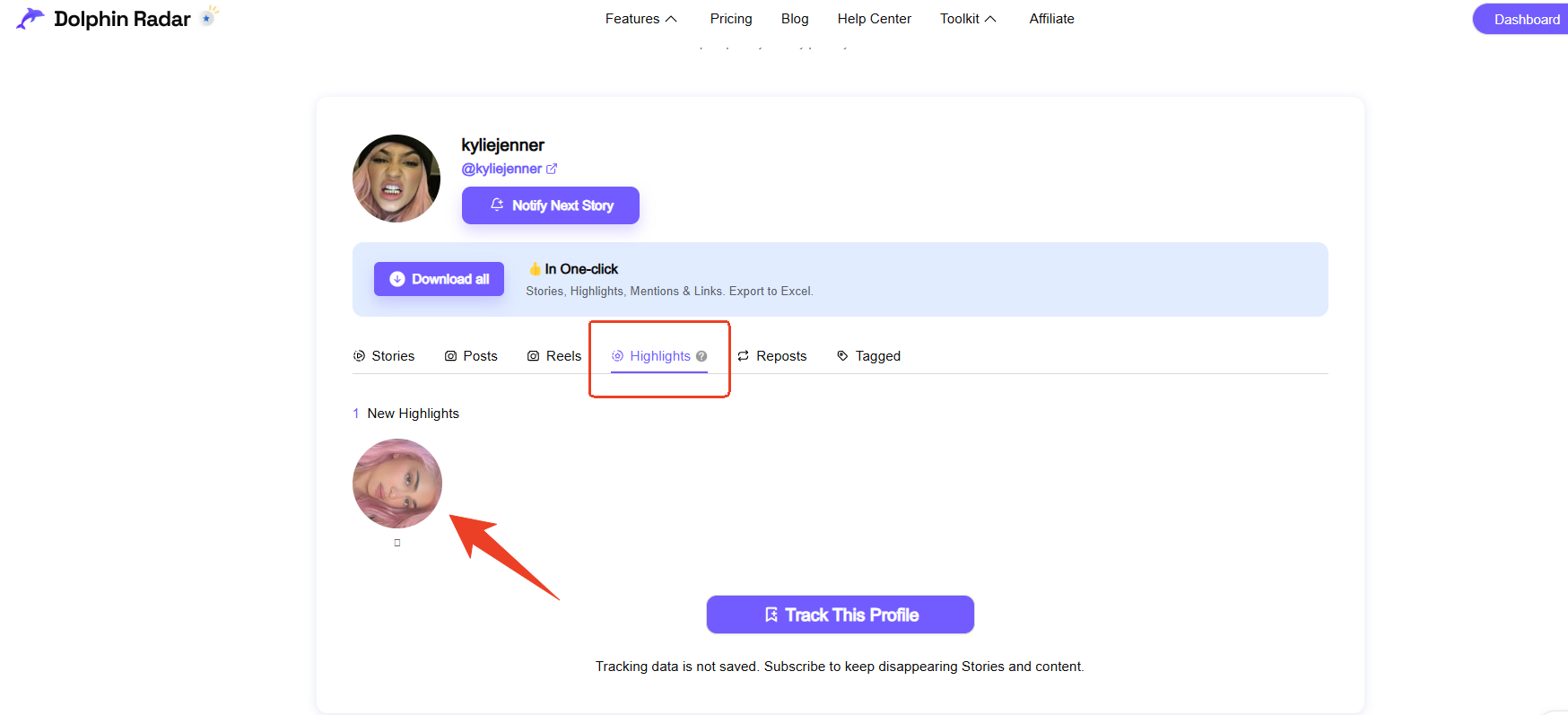
3. Select the Highlights section
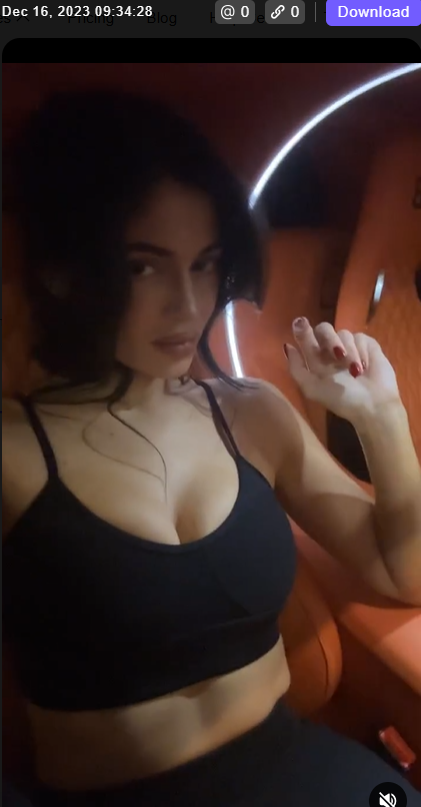
If the profile has publicly saved Highlights, choose the relevant card and open the available media. If no Highlight appears, use the diagnostic section below before repeating the search.
Why Can’t I See an Instagram Highlight?
An empty result does not automatically mean that the viewer is broken. Check the following causes in order.
The profile is private
Private-profile Highlights are available only to approved followers. A public viewer cannot bypass that approval requirement. Any service that asks for your password or claims to unlock a private profile should be treated as unsafe.
The Highlight was deleted
A creator can remove a Highlight at any time. If the content was deleted, no compliant public viewer can restore it. A previously saved URL may continue to exist even though the media is no longer available.
The username is incorrect
Display names and usernames are different. Copy the handle directly from the profile, remove @, and verify punctuation. If the creator recently changed usernames, an old bookmark may point to an unavailable handle.
The content belongs to Close Friends
Close Friends Stories are audience-restricted. They are not part of the public Instagram data layer and should not be presented as accessible by an anonymous viewer.
The profile has no saved Highlights
Some public profiles publish Stories but do not save any of them as Highlights. In that case, the absence of a Highlights row is an account configuration, not necessarily a technical error.
Public data is temporarily delayed
Instagram can change how public content is delivered. Wait 5 to 15 minutes, refresh once, and try one other known public profile. Repeatedly submitting the same username cannot make private or deleted content appear.
Do Instagram Highlights Show Who Viewed Them?
Viewing rules can depend on Instagram’s current product behavior and on how long ago the original Story was published. The key distinction is whether you are viewing through a signed-in Instagram account or through a public, no-login viewer.
A no-login viewer does not connect your Instagram username to the request. It also does not provide access to Instagram’s internal viewer list. However, this does not remove the creator’s rights over the media. Treat every public Highlight as the creator’s content, even when it can be viewed without an account.
Instagram Highlight Viewer vs. Instagram Story Viewer
The two tools serve related but different information needs.
| Feature | Instagram Story | Instagram Highlight |
| Typical availability | About 24 hours | Until the creator removes it |
| Saved by creator | Optional | Required |
| Public viewing possible | Yes, if public | Yes, if public |
| Private content unlock | No | No |
| Best use case | Recent announcements | Archived public content |
Use a public Story viewer for current updates. Use an Instagram Highlight viewer for older content the creator deliberately preserved.
For broader account browsing, see how to view Instagram without an account. That article covers public profile access beyond the Highlights use case.
When Is DolphinRadar Useful?
DolphinRadar is suitable for public-content tasks such as:
- Reviewing a brand’s saved campaign Highlights.
- Checking a creator’s public event or product archive.
- Researching public content without connecting a personal Instagram account.
- Comparing a profile’s current Story activity with its saved Highlights.
- Viewing public Instagram content from a mobile or desktop browser.
It is not designed for replying, reacting, voting in polls, or accessing private audiences. Those actions require authenticated Instagram access.
Responsible Use and Privacy Limits
DolphinRadar only accesses publicly available Instagram data and does not require account credentials. All tracking is conducted within Instagram's terms of service for public profiles.
Use public viewing responsibly:
- View only content that is publicly accessible.
- Do not attempt to bypass private-account controls.
- Never enter an Instagram password into an anonymous viewer.
- Do not impersonate another person.
- Obtain permission before redistributing or commercially reusing media.
Anonymous access keeps your Instagram account separate from the request. It does not remove copyright and privacy obligations.
Frequently Asked Questions
1. Can I view Instagram Highlights anonymously?
Yes. A no-login viewer can display Highlights from public profiles. Private, deleted, and Close Friends content remains unavailable.
2. Can I view Instagram Highlights without an account?
Yes, when the profile and saved Highlight are public. DolphinRadar works in a browser and does not require an Instagram login.
3. Can an anonymous Highlight viewer access private profiles?
No. Private Highlights require approval from the profile owner. A service claiming to unlock them should not be trusted.
4. Why is an Instagram Highlight viewer not working?
Check the profile status, username spelling, Highlight availability, deletion status, Close Friends restrictions, and temporary public-data delays.
5. Do Instagram Highlights show who viewed them?
A public no-login viewer does not connect your Instagram username to the request. Viewer identity data remains outside the public data available to the tool.
6. Can I download public Instagram Highlights anonymously?
Some public viewers support downloads. Save or reuse content only when you have the creator’s permission and a lawful purpose.
Final Answer
You can view public Instagram Highlights anonymously without an account by entering the exact username into a no-login public viewer. The result depends on five conditions: the profile must be public, the Highlight must still exist, the username must be correct, the content must not be Close Friends restricted, and public delivery must be available.
When no result appears, check those conditions before trying another method or sharing account information. DolphinRadar promotes responsible use of public social data.