



Last Updated: January 2026
If you are searching for “download foto IG” or “download Instagram photo,” downloading Instagram posts varies by content type and access. This guide explains how to download photos, videos, Reels, and Stories from public posts, including how to download Instagram photos without logging in.
Why Downloading Instagram Posts Has Limits
Many users want to download Instagram posts to save photos or videos for offline use, reference, or archiving. However, Instagram does not offer a built-in download option, and not all content can be saved externally.
Understanding what is possible—and what is restricted—helps you choose the right download method and avoid unrealistic expectations.
TL;DR—Methods to Download Instagram Posts
Method 1: Download public Instagram posts using third-party tools
Public photos, videos, and Reels can be downloaded through Instagram download tools that work without logging in. These tools only support content that is publicly visible.
Method 2: Save posts inside Instagram for in-app access
Instagram allows users to save posts to collections for later viewing. This method does not download files to your device, but it keeps content accessible within the app.
Method 3: Download Stories before they expire
Instagram Stories must be downloaded within 24 hours. Once a Story expires, it cannot be downloaded unless it has been saved as a Highlight.
Method 4: Use account access where permitted
Content from private accounts can only be downloaded if you have approved access. Private posts cannot be retrieved through external download tools.
Methods to Download Instagram Posts Using Third-Party Tools
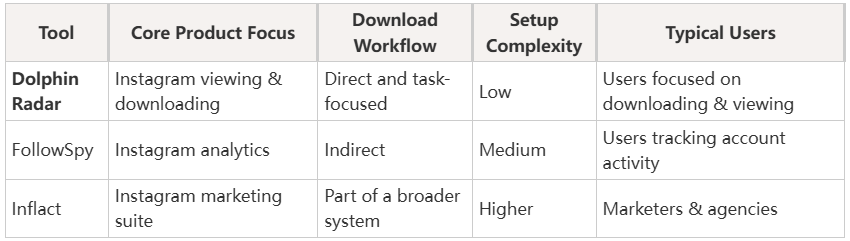
For public Instagram content, third-party tools are commonly used to download posts, videos, and Stories or to view them without logging in. Below are three widely used options, including Dolphin Radar, as well as FollowSpy and Inflact.Each tool takes a different approach in terms of access, features, and usability.
Dolphin Radar
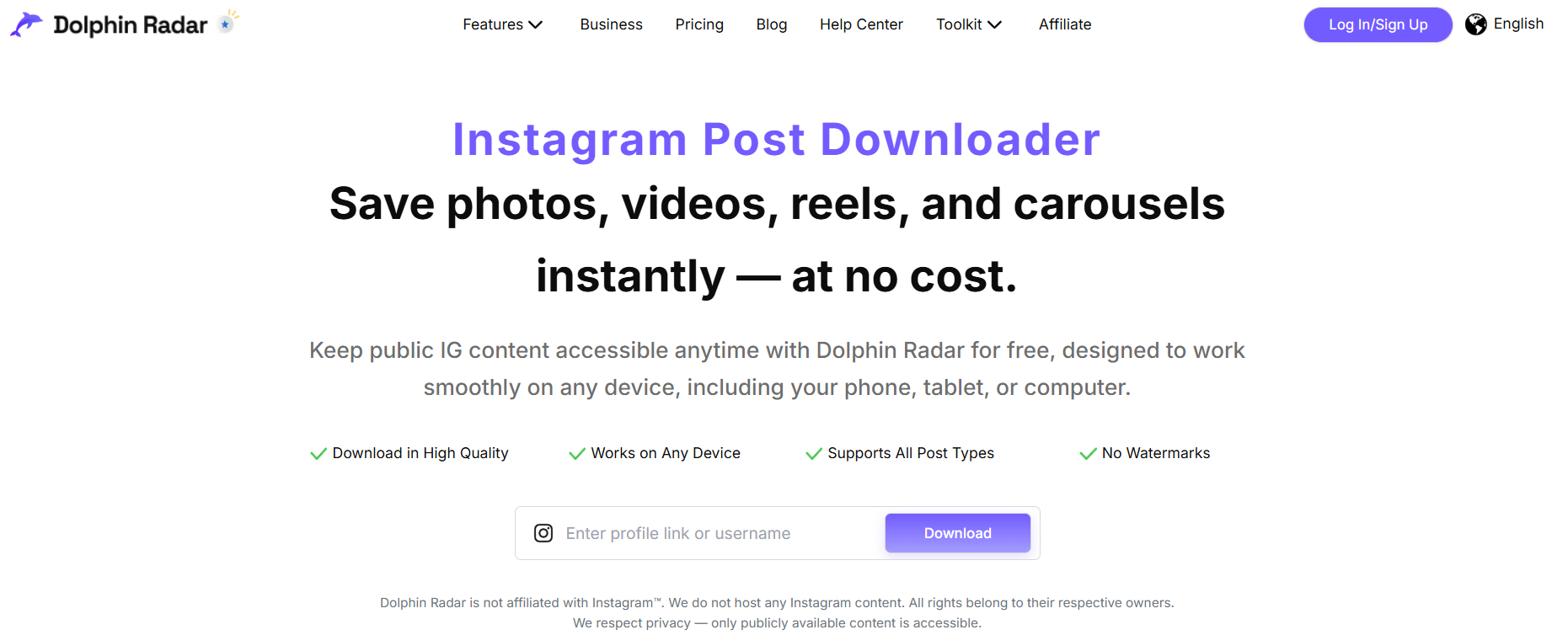
Dolphin Radar provides a streamlined way to view and download public Instagram posts, videos, Reels, and Stories without requiring users to log in with an Instagram account. It is designed for users who want quick access to public content while minimizing friction and account-related risks.
The tool focuses on clear workflows and stable access to publicly available media, making it suitable for repeated use rather than one-off downloads.
Key characteristics
- Supports multiple Instagram content types (posts, videos, Reels, Stories)
- No Instagram login required
- Emphasis on consistent access to public data
- Designed for both casual and research-oriented use cases
FollowSpy
FollowSpy is primarily known for Instagram analytics and tracking features. While it can provide visibility into certain public account activities, its download-related functionality is more limited and often secondary to its analytics focus.
Users may encounter restrictions depending on content type or availability.
Key characteristics
- Stronger focus on account monitoring
- Limited or indirect download support
- May require account-related setup
Inflact
Inflact is a broader Instagram marketing platform that includes content downloading as one of many features. While it supports downloading public posts, access to advanced features is often tied to paid plans or usage limits.
For users whose primary goal is downloading or viewing content, the platform may feel more complex than necessary.
Key characteristics
- Wide feature set beyond downloading
- Downloads often gated by plan limits
- Higher learning curve for simple tasks
How to Download Instagram Photos Without Login
1. Open the public Instagram photo
2. Copy the post link
3. Paste it into DolphinRadar's Instagram Post Downloader
Things to Keep in Mind
Downloading Instagram posts should follow platform rules and basic ethical standards.
Platform compliance
Instagram does not offer official download features. Third-party tools work only with public content and cannot access private accounts. Avoid services that claim to bypass these limits or require Instagram login credentials.
Copyright and privacy
Public posts remain the property of their creators. Downloading should be limited to personal reference, research, or permitted use, not redistribution or misuse.
Conclusion and Practical Recommendation
There is no single method that works for every situation. The right approach depends on content visibility, timing, and intended use.
For public Instagram posts and Stories, third-party viewers and downloaders can act as supplementary tools when used responsibly. Tools like Dolphin Radar are commonly used because they focus on direct access to public content without requiring account login.
Used within platform rules, these tools help users manage public Instagram content more efficiently.
FAQ
Can I download Instagram Stories after 24 hours?
No. Once a Story expires, it cannot be downloaded unless it has been saved as a Highlight.
Does saving a post on Instagram download it to my device?
No. Instagram saves keep content inside the app and do not create local files.
Do I need an Instagram account to download posts?
Not always. Many download tools support public posts without login.
Can I download Instagram photos without an account?
For public Instagram posts, you can use DolphinRadar’s Instagram Post Downloader without logging into Instagram. Copy the public post link, paste it into the downloader, and follow the download instructions. Do not enter your Instagram password into a third-party downloader.
Can I download photos from private accounts?
No. External download tools cannot access private Instagram posts without approved access. If you follow a private account and have permission to view its content, use Instagram’s own save or download options where available. No legitimate tool can unlock private posts.
Is downloading Instagram photos safe?
Downloading public Instagram photos can be safer when the tool does not require your Instagram password and only processes publicly available content. Avoid services that request login credentials, promise access to private accounts, or require suspicious browser extensions. You should also respect the creator’s copyright and obtain permission before reposting downloaded content.